graph
Lane-based DAG
Fork/merge lanes with bookmark, tag, conflict, and divergent markers. Highlighted shortest change-ids; revset filtering with preset chips; immutable-aware menus.
A fast, keyboard-friendly client for Jujutsu. The change graph, diffs, splits, and conflicts — in one window, built on jj-lib in Rust.
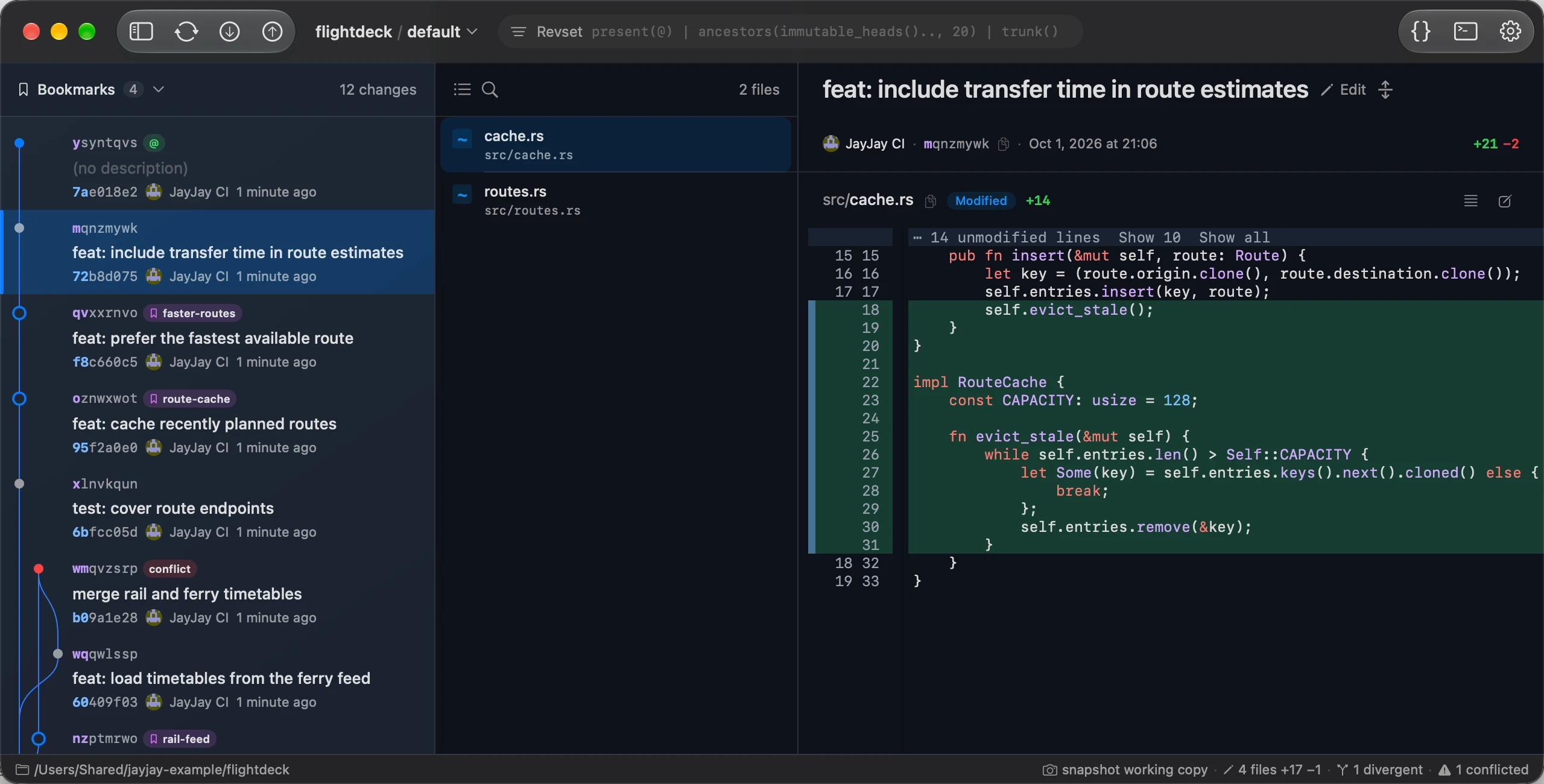
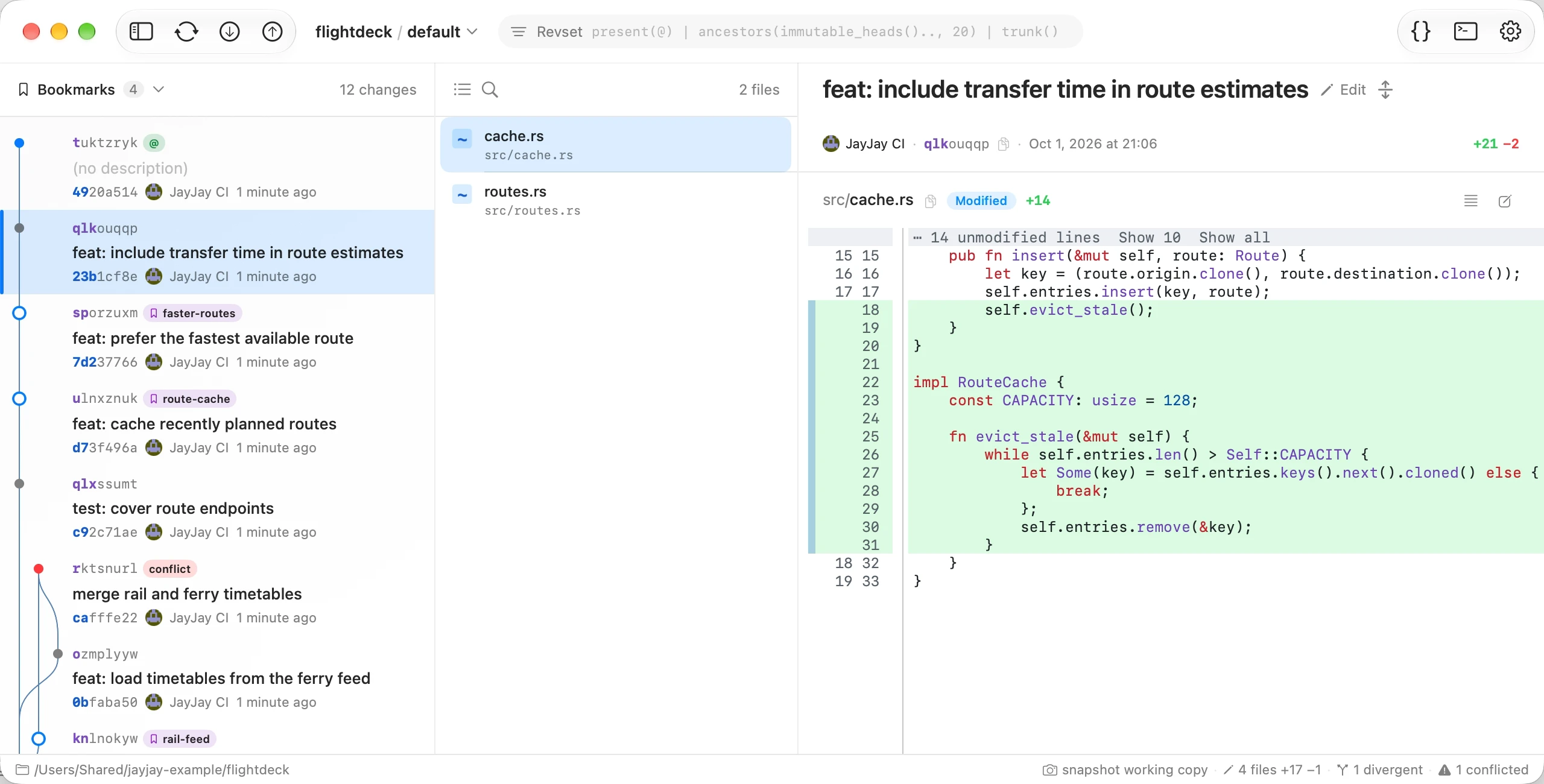
Fork/merge lanes with bookmark, tag, conflict, and divergent markers. Highlighted shortest change-ids; revset filtering with preset chips; immutable-aware menus.
Histogram diff, tree-sitter highlighting, intraline changes, context collapsing, background preloading, and rich previews for Markdown, notebooks, CSV/TSV, SARIF, and binary plists.
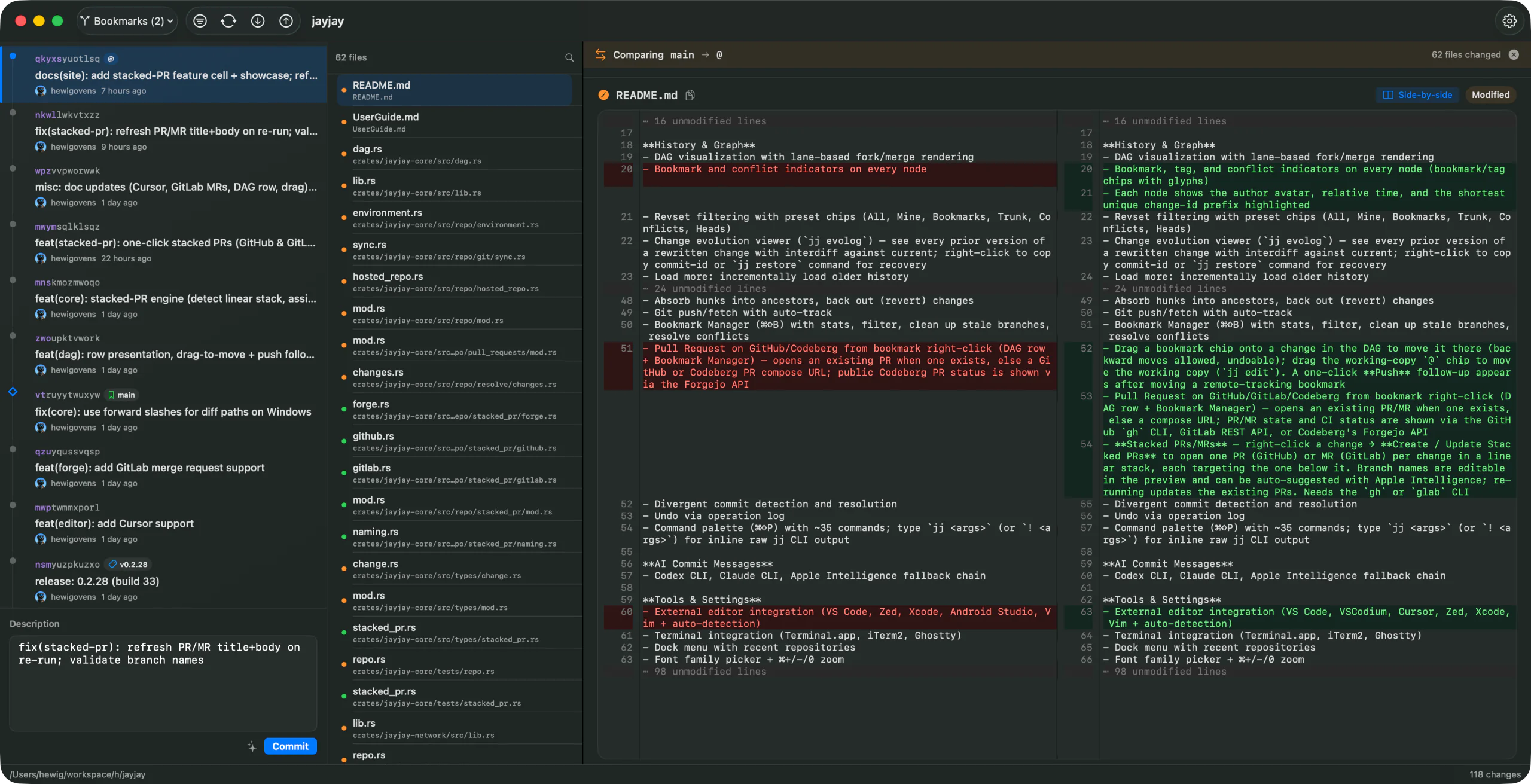
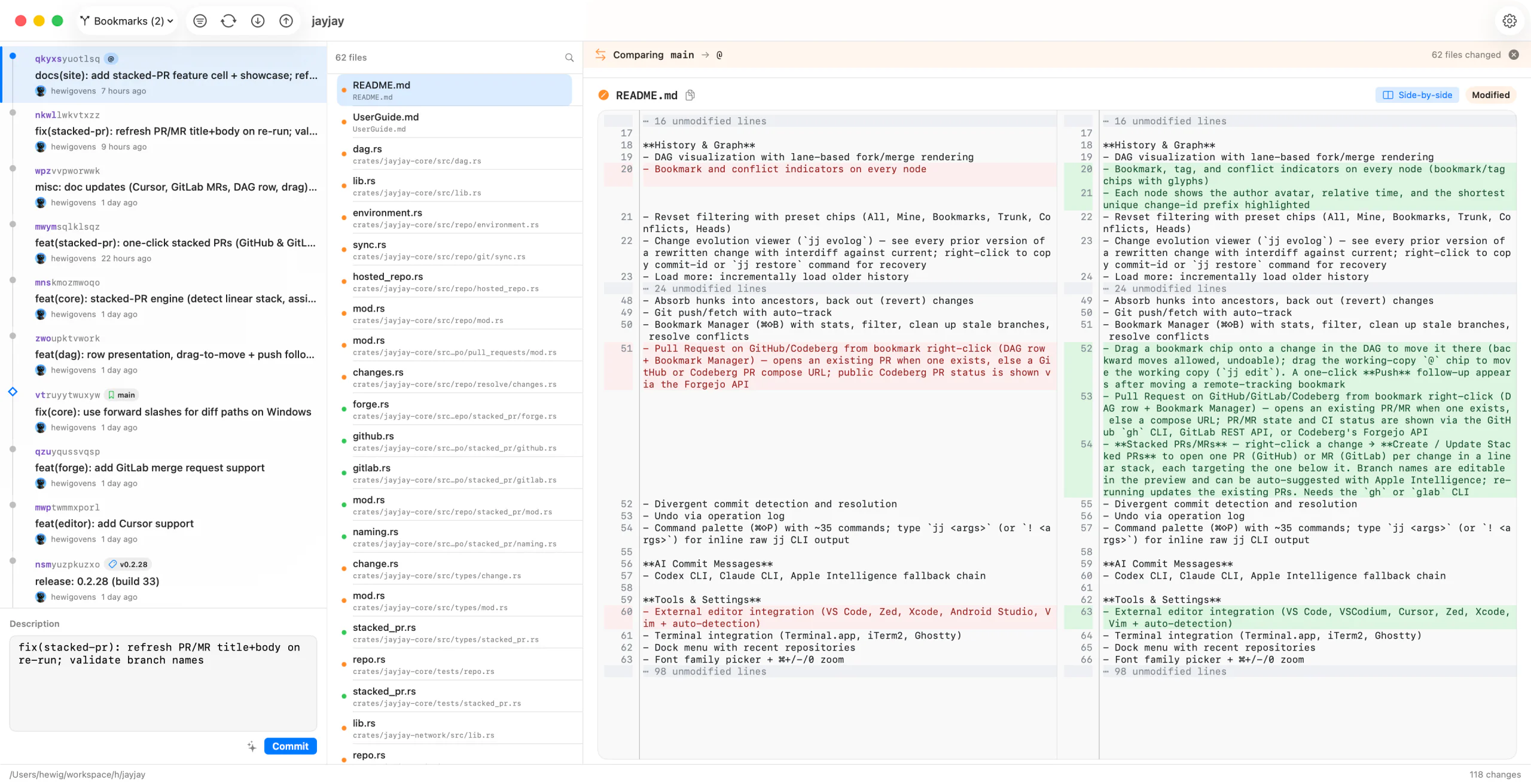
Shift-click two changes for a PR-style diff between them — or compare the two versions of a divergent change. Full file navigation included.
Select files, hunks, or individual lines and extract them into a new change. Mark files reviewed, then split.
Mark files or individual hunks reviewed, leave notes on changed lines, and keep matching review marks across edits and rebases.
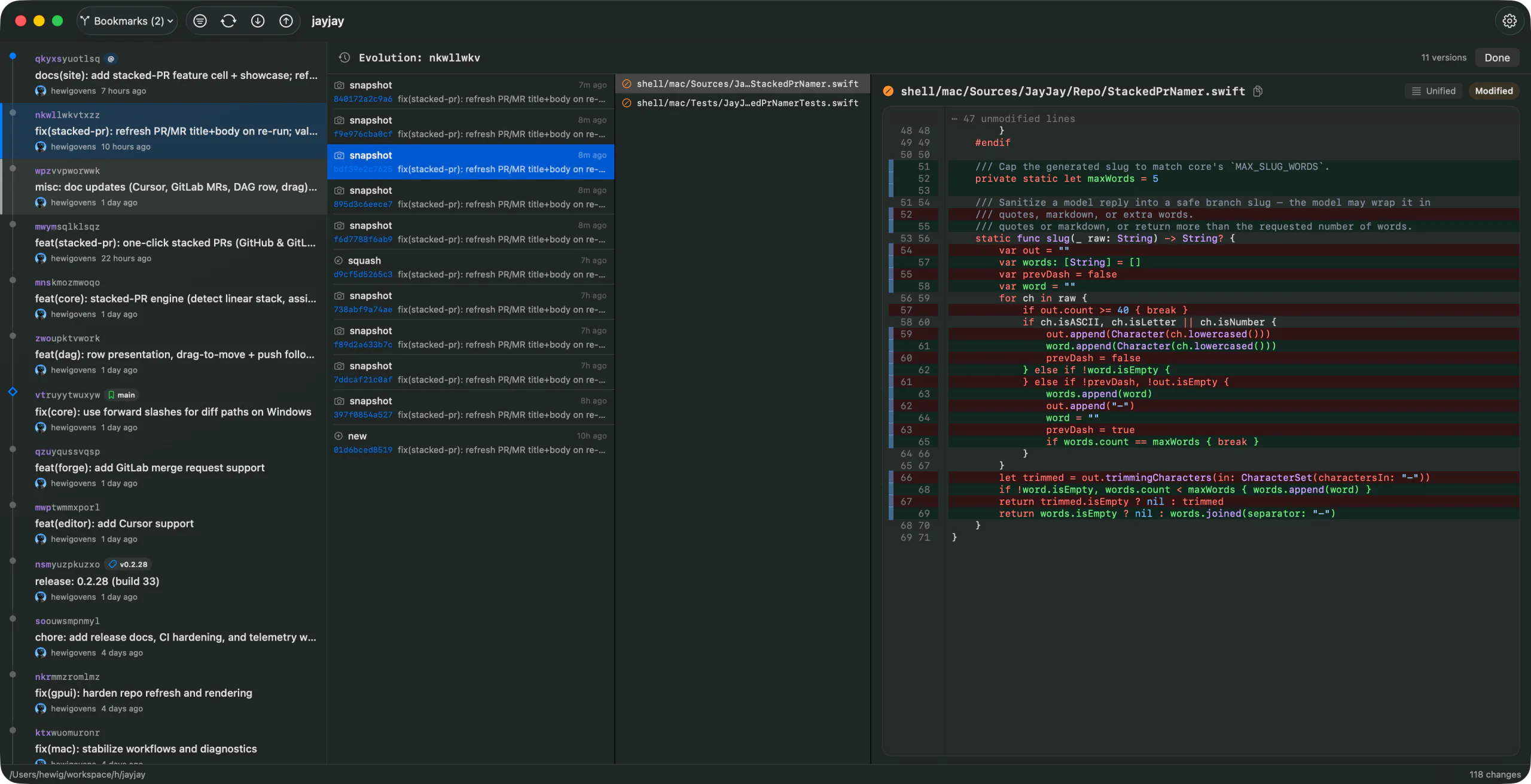
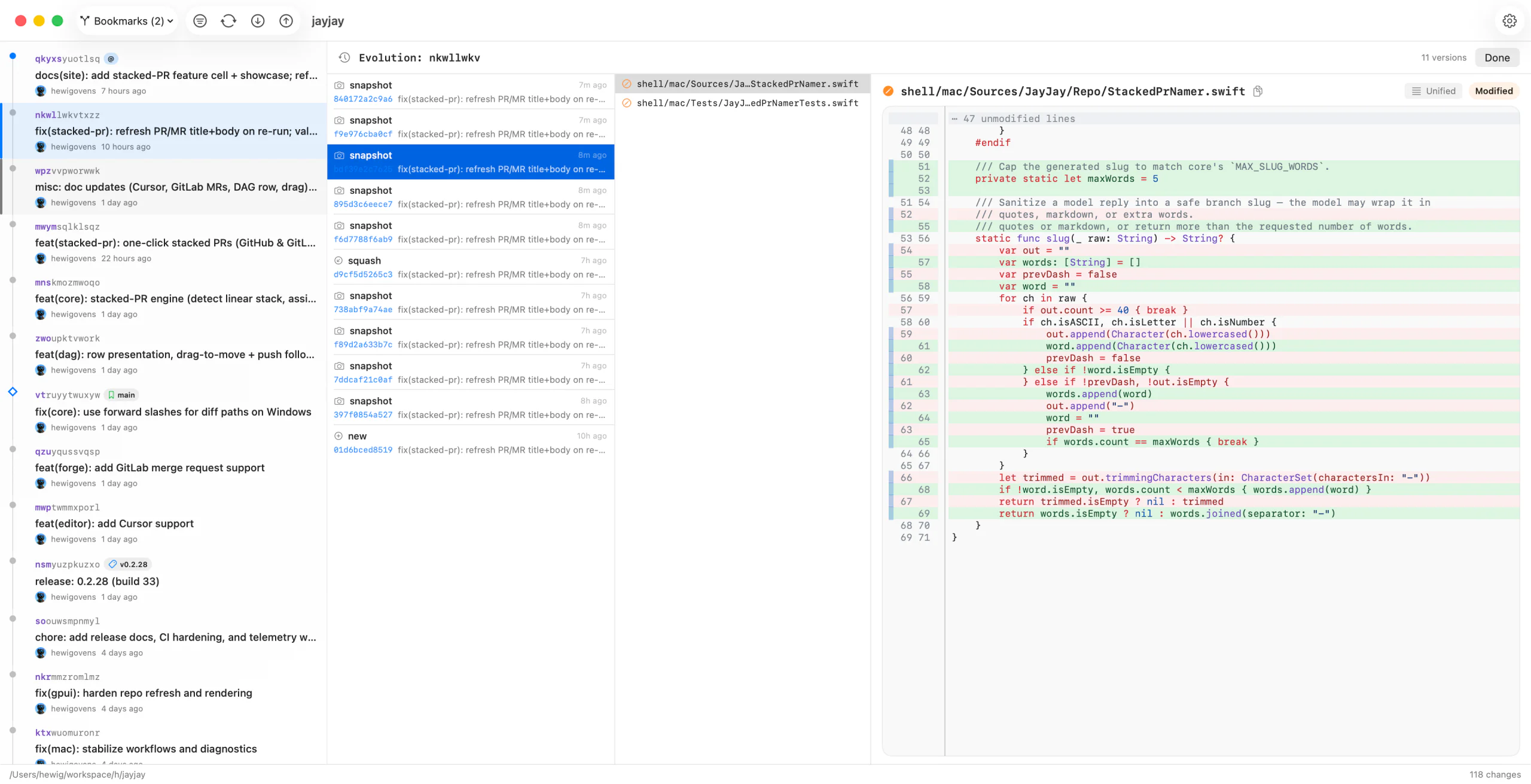
Replay every snapshot of a change over time, with filtering and restore — jj's superpower, made visible.
Drag a bookmark onto any change to move it, with a live drop preview. Per-remote sync state (ahead / behind / diverged), forget stale or deleted bookmarks, explicit remote tracking, and diff a bookmark against its base.
One GitHub, GitLab, or Cursor Origin pull request per change in a linear stack, with dependent bases. Editable, AI-named branches; re-run to update them.
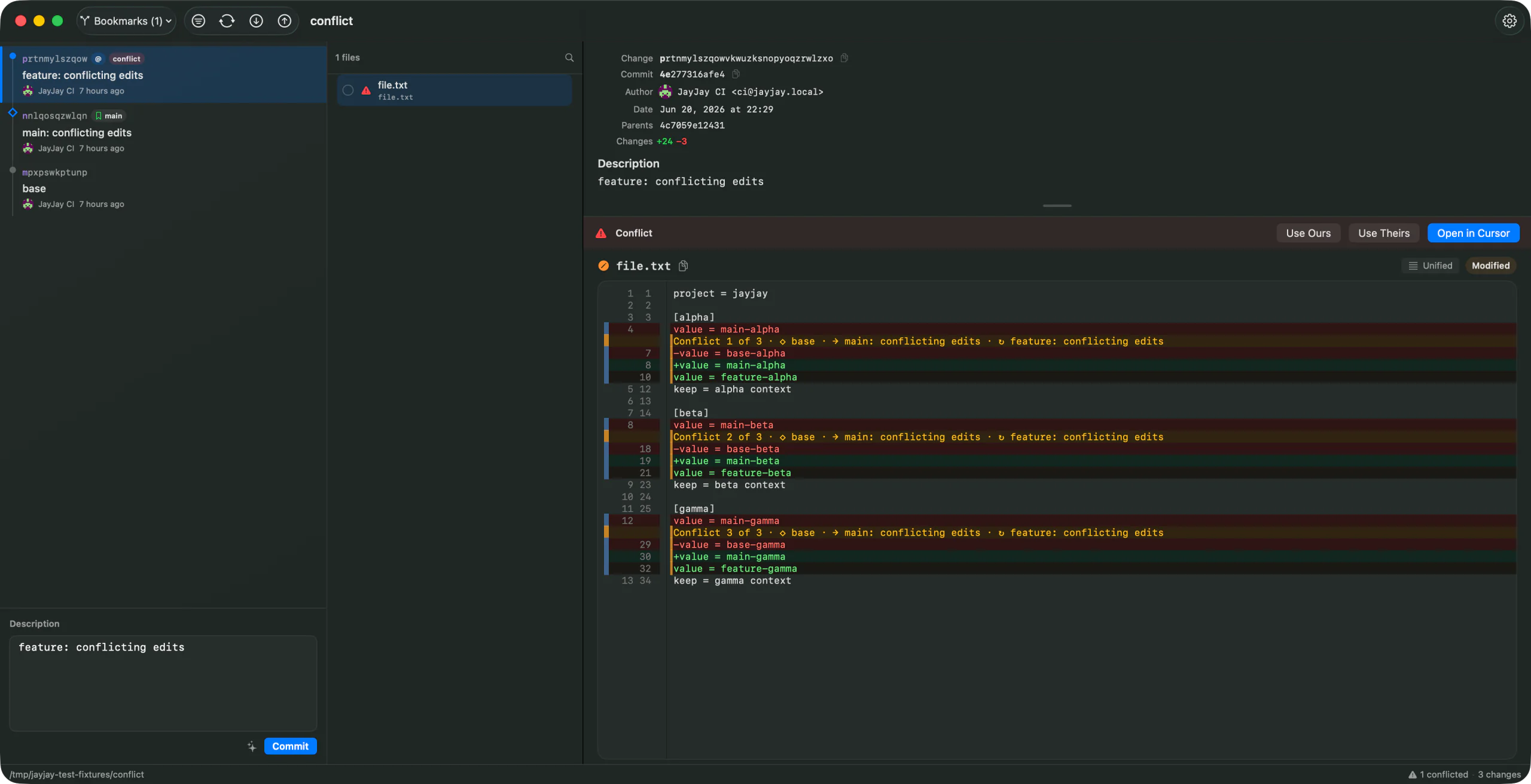
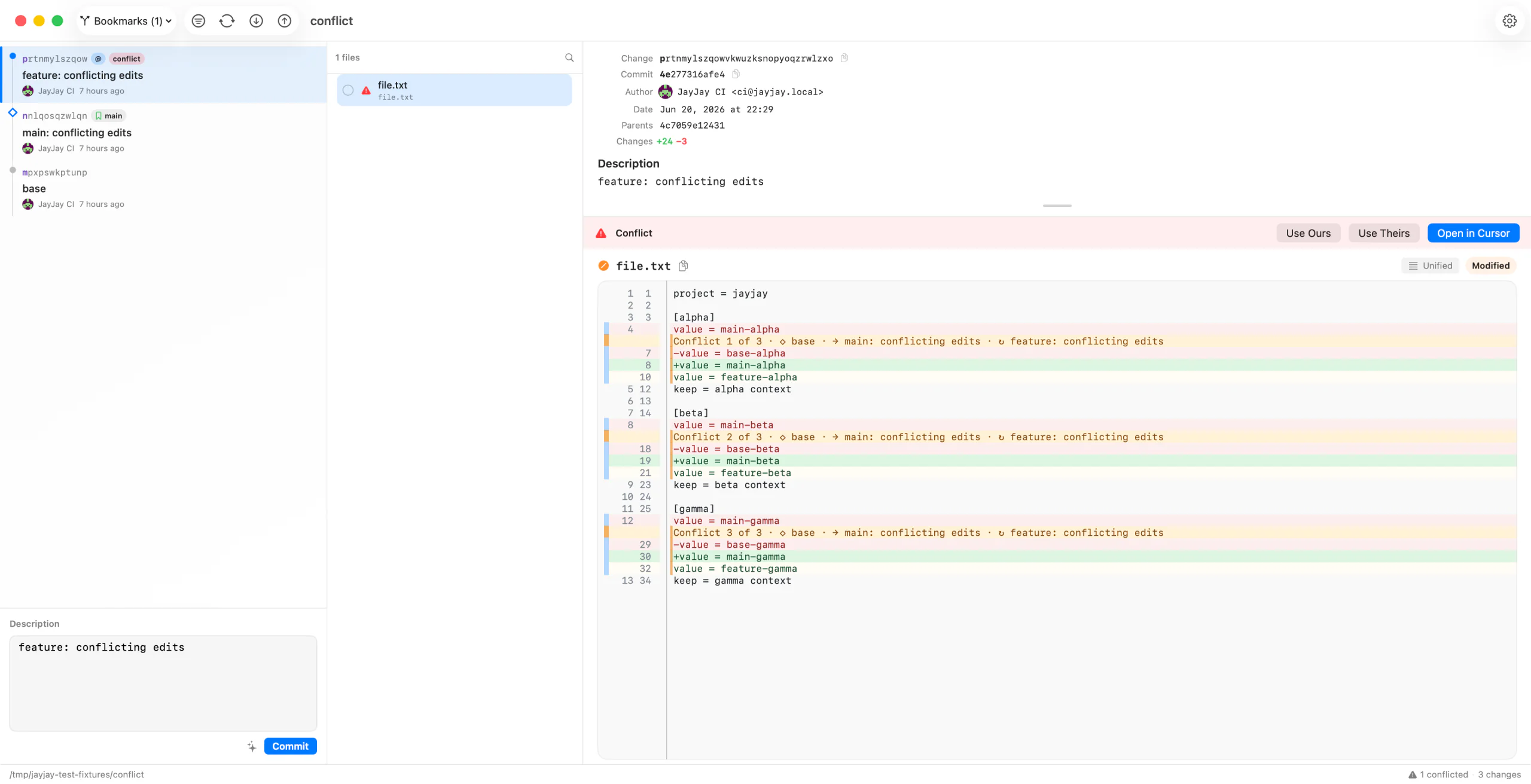
Use Ours / Use Theirs inline, or edit and save complete or partial resolutions without leaving the repository window.
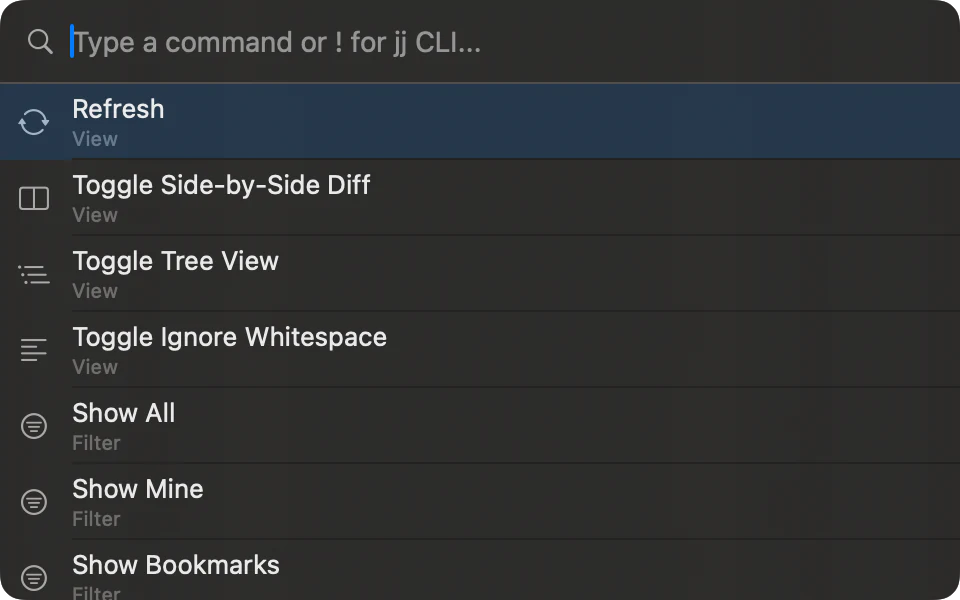
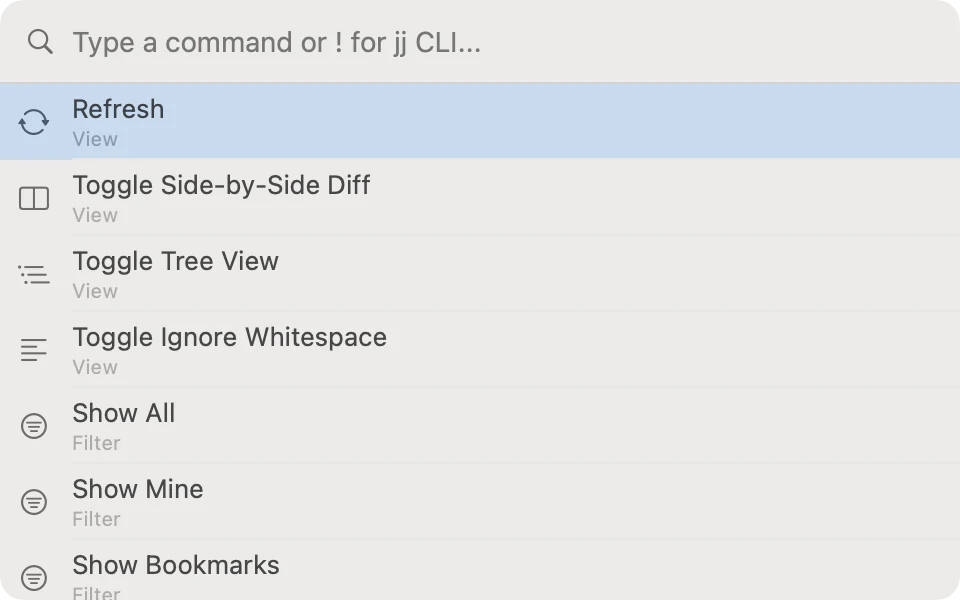
Search actions and local help; run raw jj with an ! prefix and inline output — no terminal needed.
VS Code, VSCodium, Zed, Xcode, Vim · Terminal, iTerm2, Ghostty · AI commit messages via Codex, Claude, or Apple Intelligence.
Toggle unified or side-by-side, browse files as a tree, and read tree-sitter syntax highlighting with intraline change highlights. Markdown, notebooks, CSV/TSV, SARIF, and binary plists get rich previews when raw text is not enough.
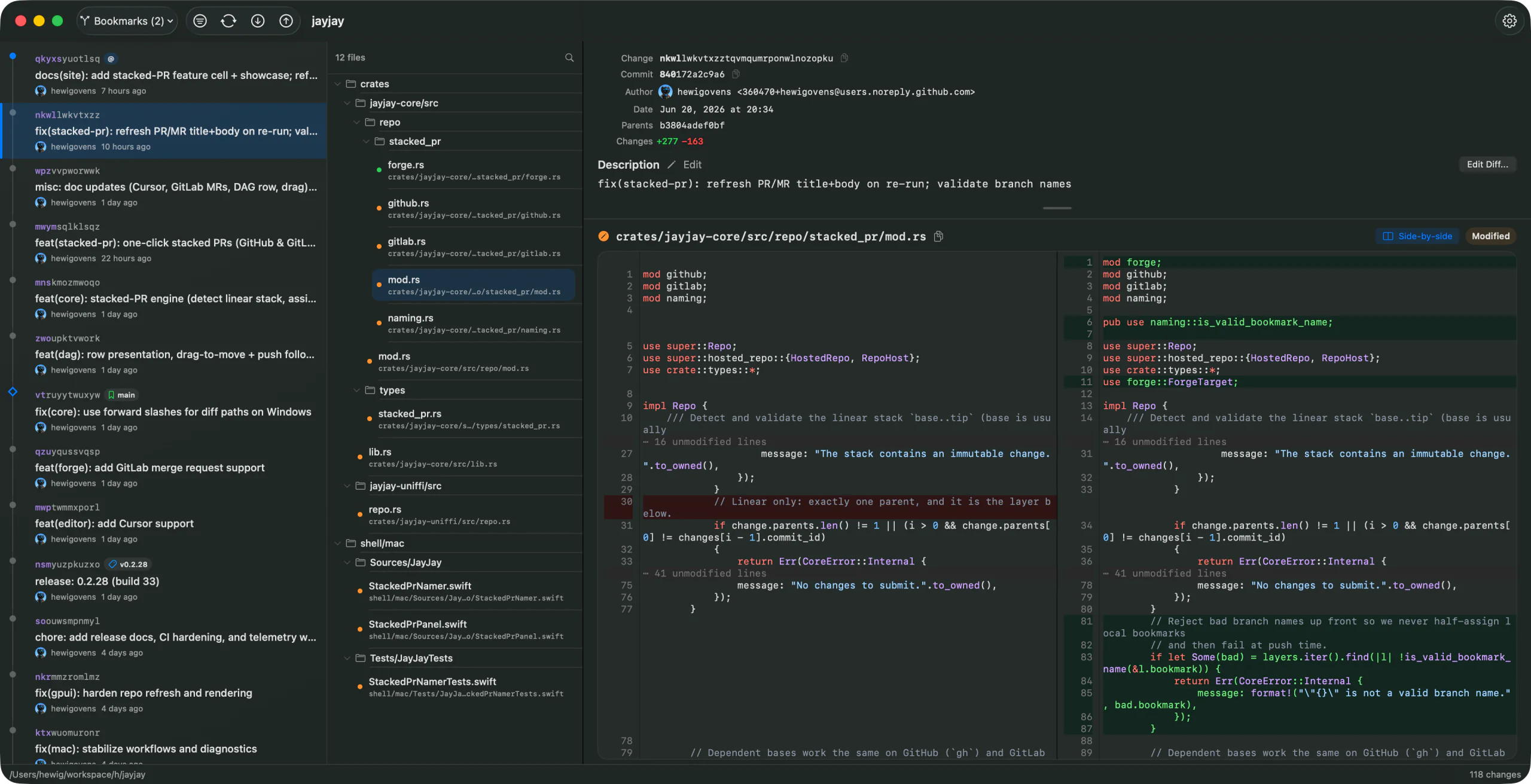
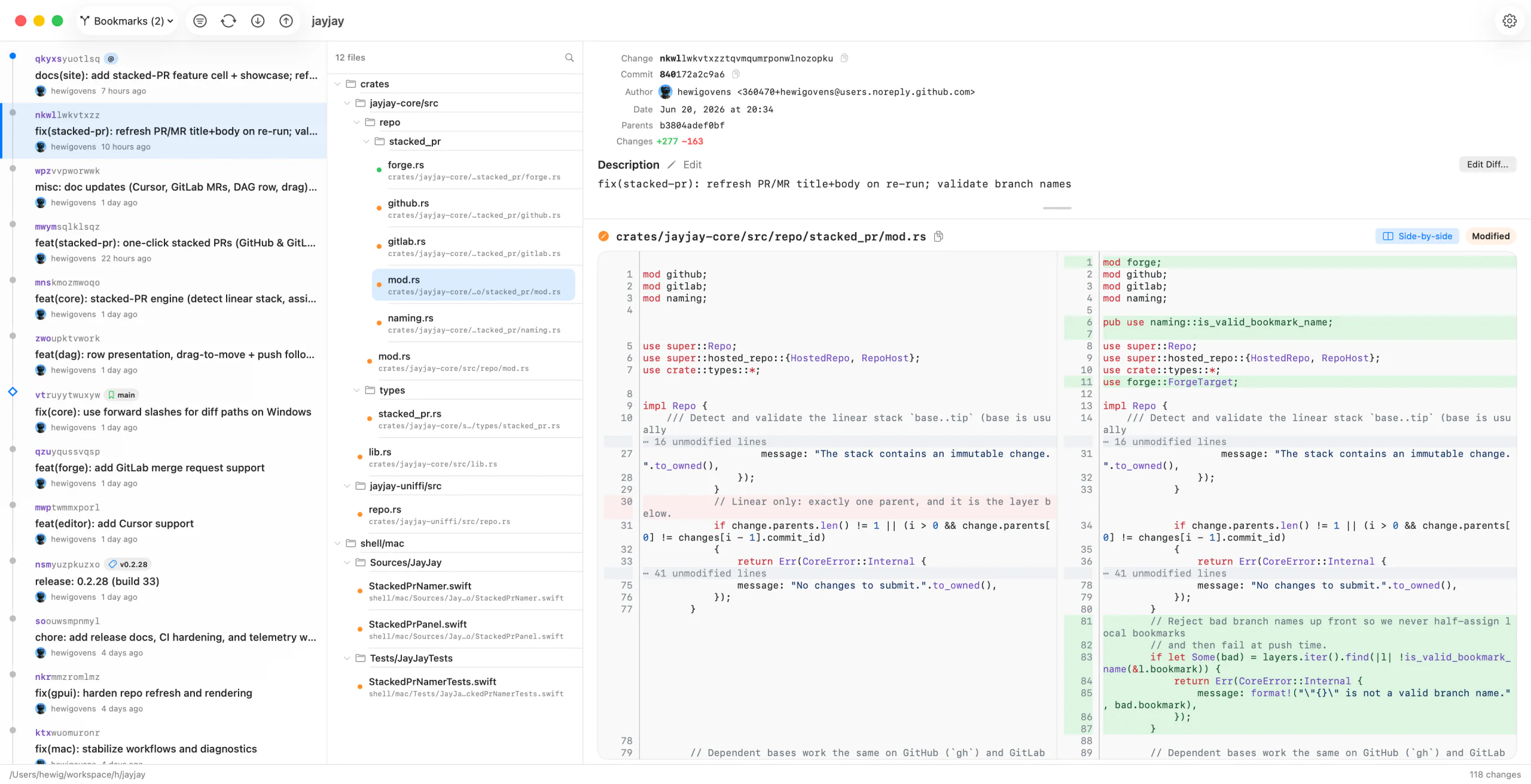
Press Space to review a file, or click a hunk's gutter stripe to mark just that part. Matching reviewed hunks survive edits and rebases. Leave a note on a changed line when something needs another look.
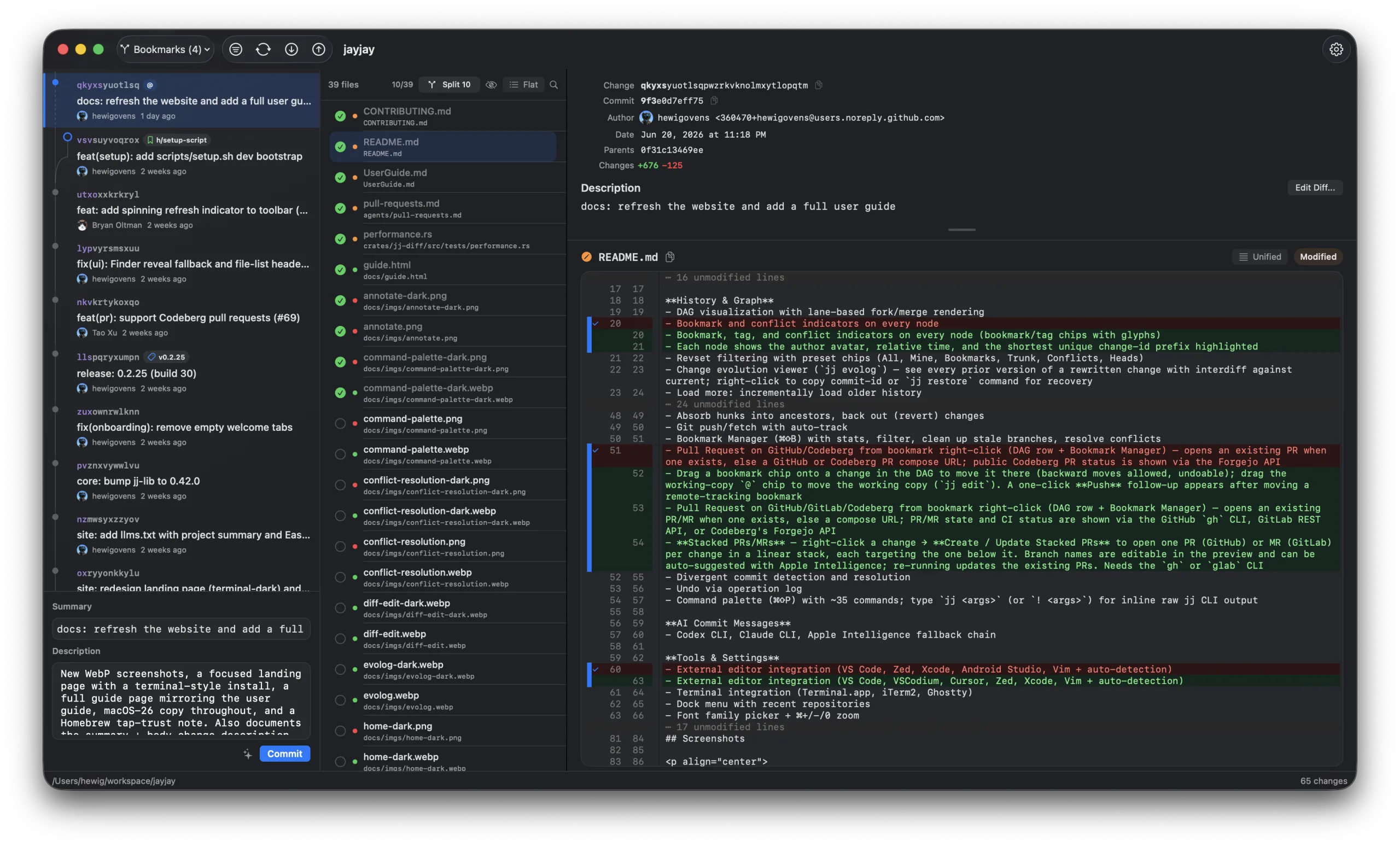
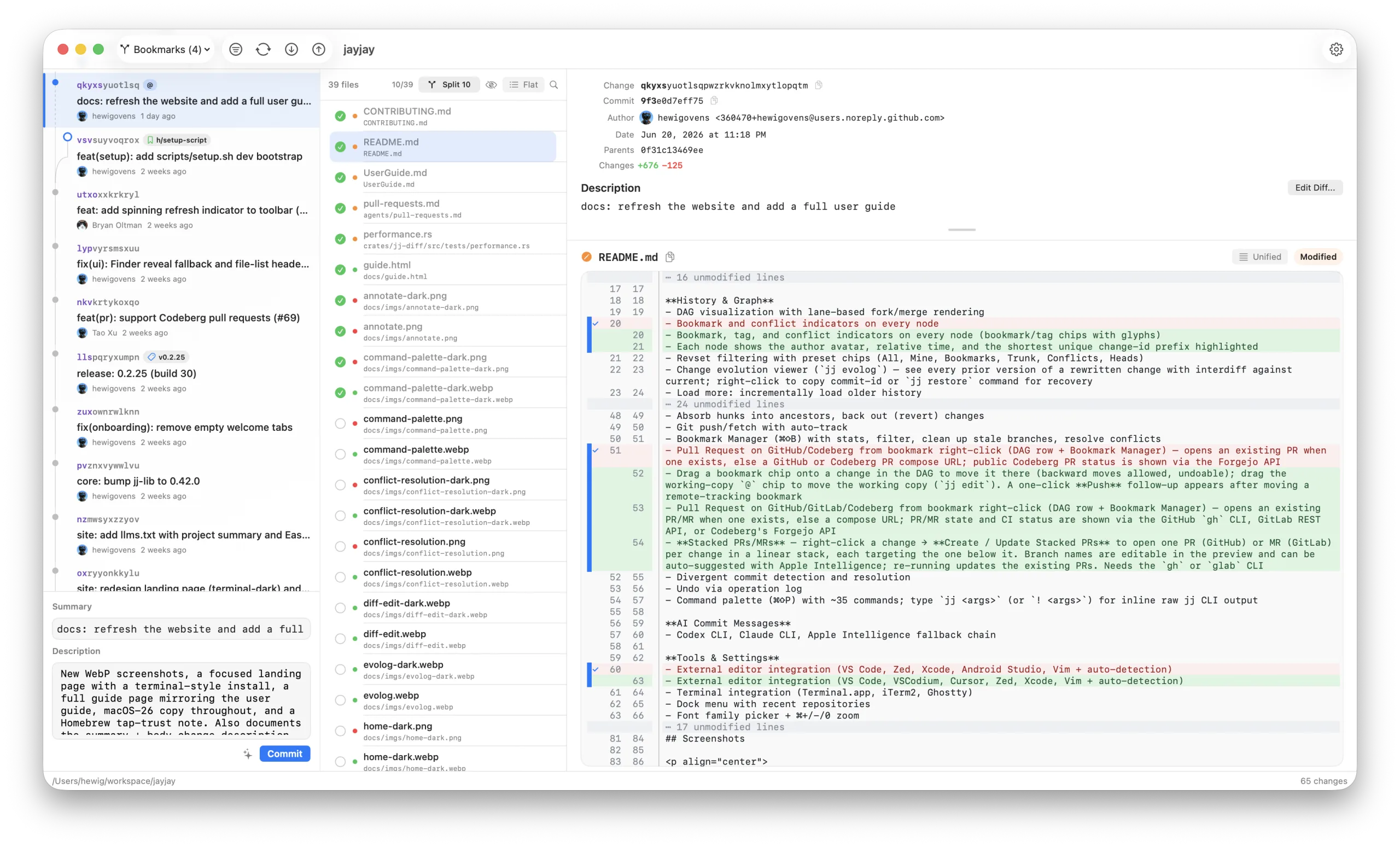
Pick hunks or individual lines from any file in the change, then split exactly that selection into a clean child — line-by-line control across your whole working copy.
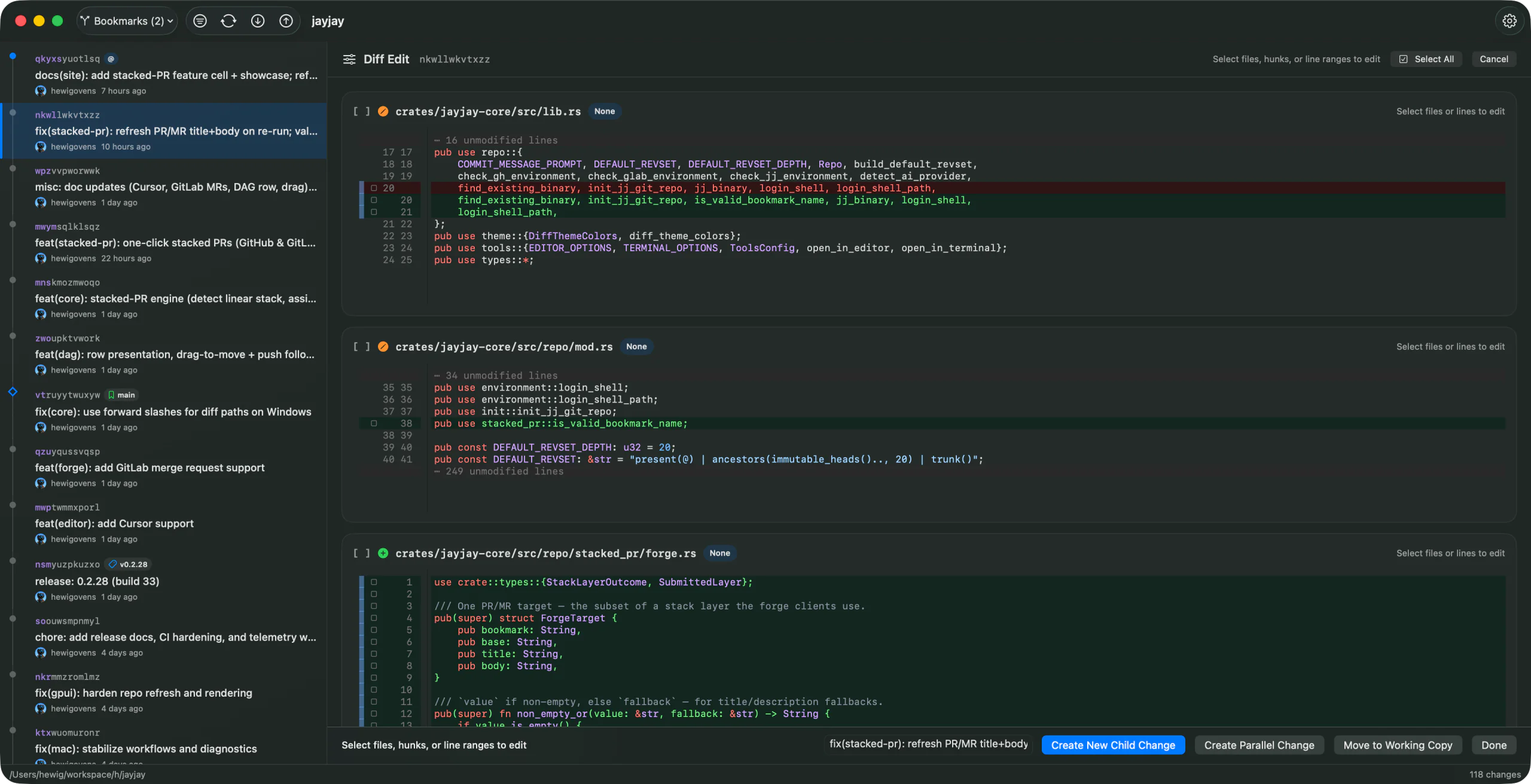
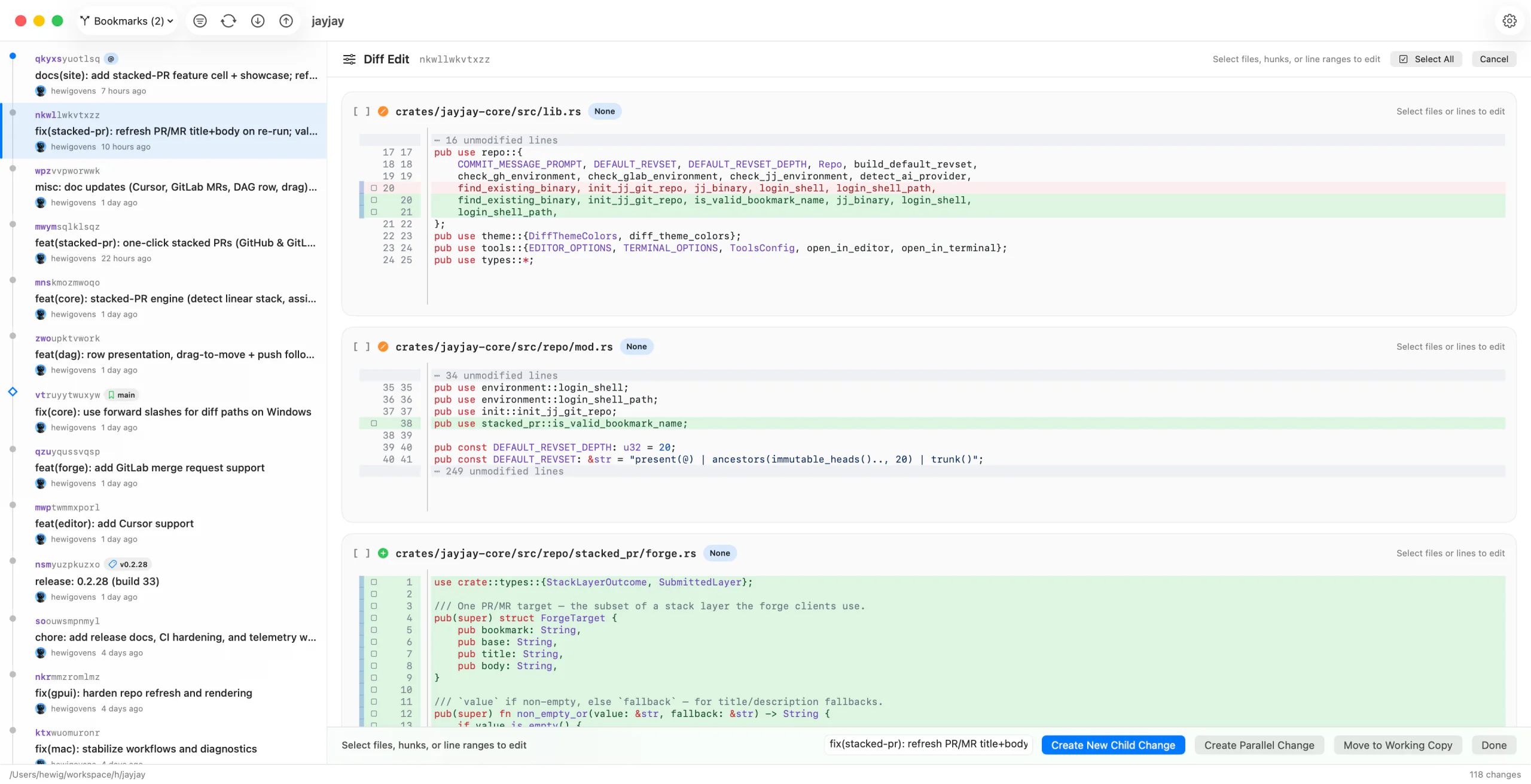
Right-click the tip of a linear stack → Create / Update Stacked PRs. JayJay names a branch per change — editable, or suggested by Apple Intelligence — pushes them, and opens one GitHub PR, GitLab MR, or Cursor Origin PR per change with dependent bases. Re-run any time to update.
* Needs the GitHub gh, GitLab glab, or Cursor Origin origin CLI installed.
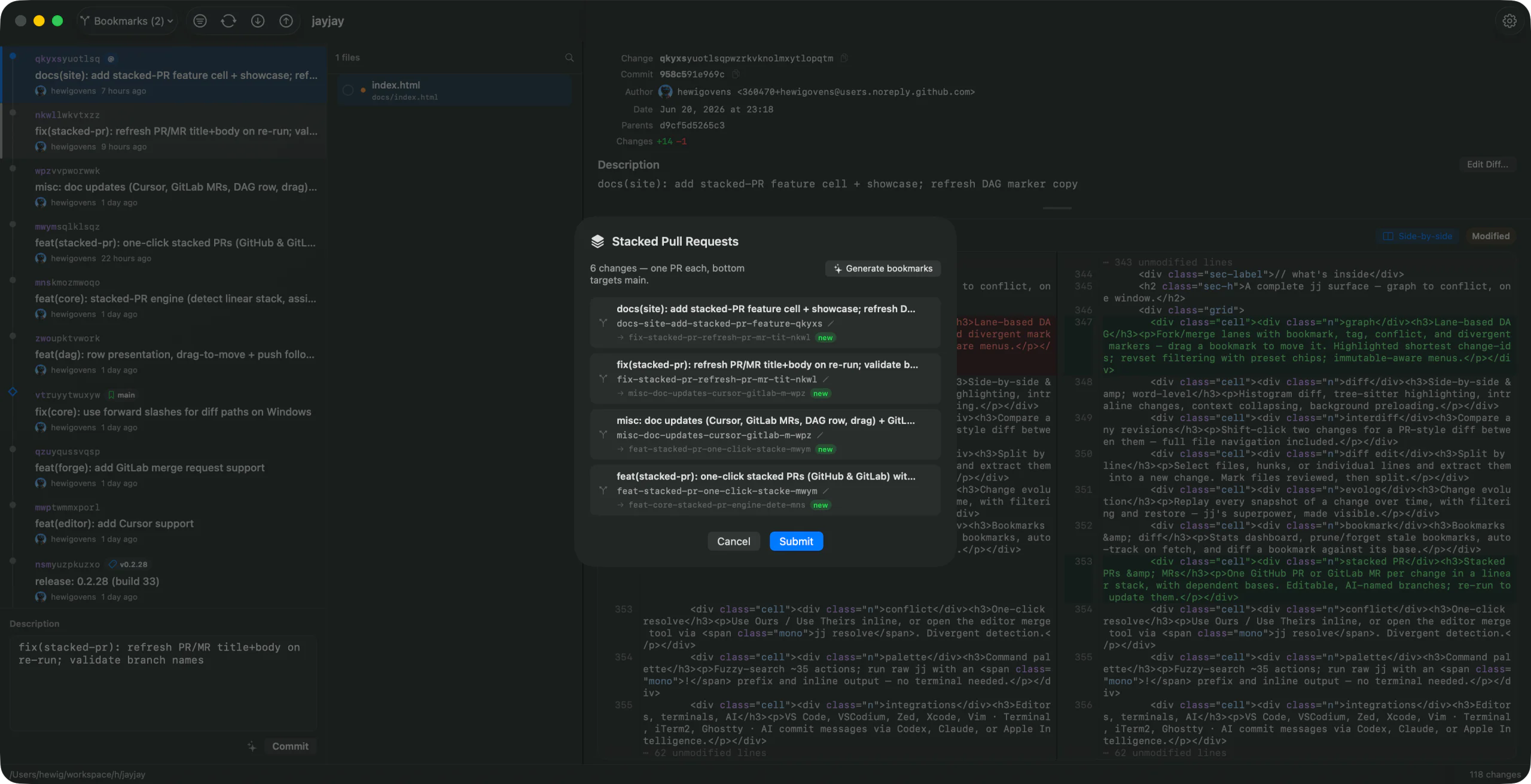
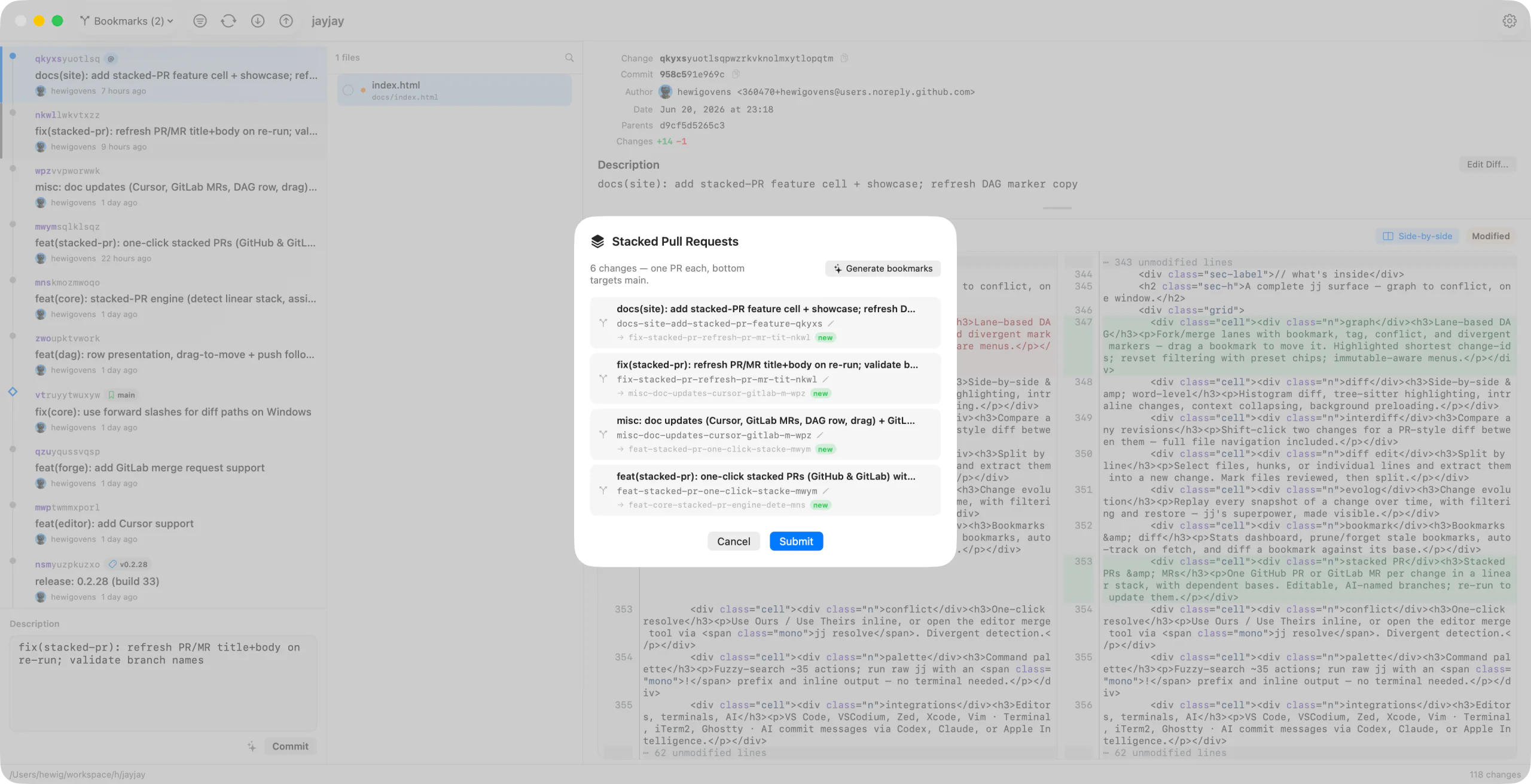
Shift-click any two revisions in the DAG — two bookmarks, a PR branch and its base, or any two changes — to see exactly what moved between them. Syntax-highlighted, with file-by-file navigation. Got a divergent change? Right-click it and Compare Divergent Versions to diff the two versions of the same change-id and decide which to abandon.
Conflicted files show a banner with whole-file choices and resolution actions. Choose Edit in JayJay for the built-in merge editor, or hand off to your configured external tool.
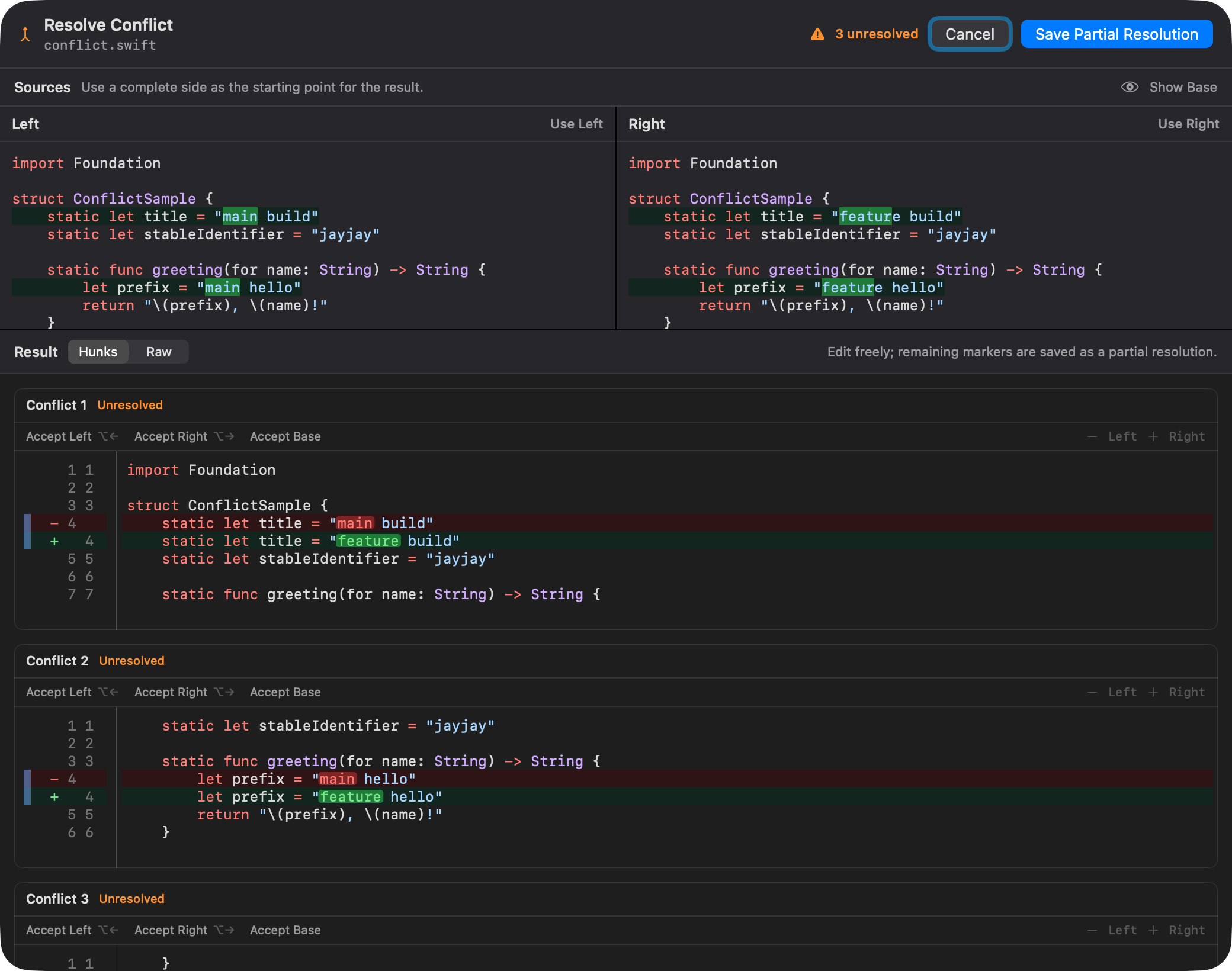
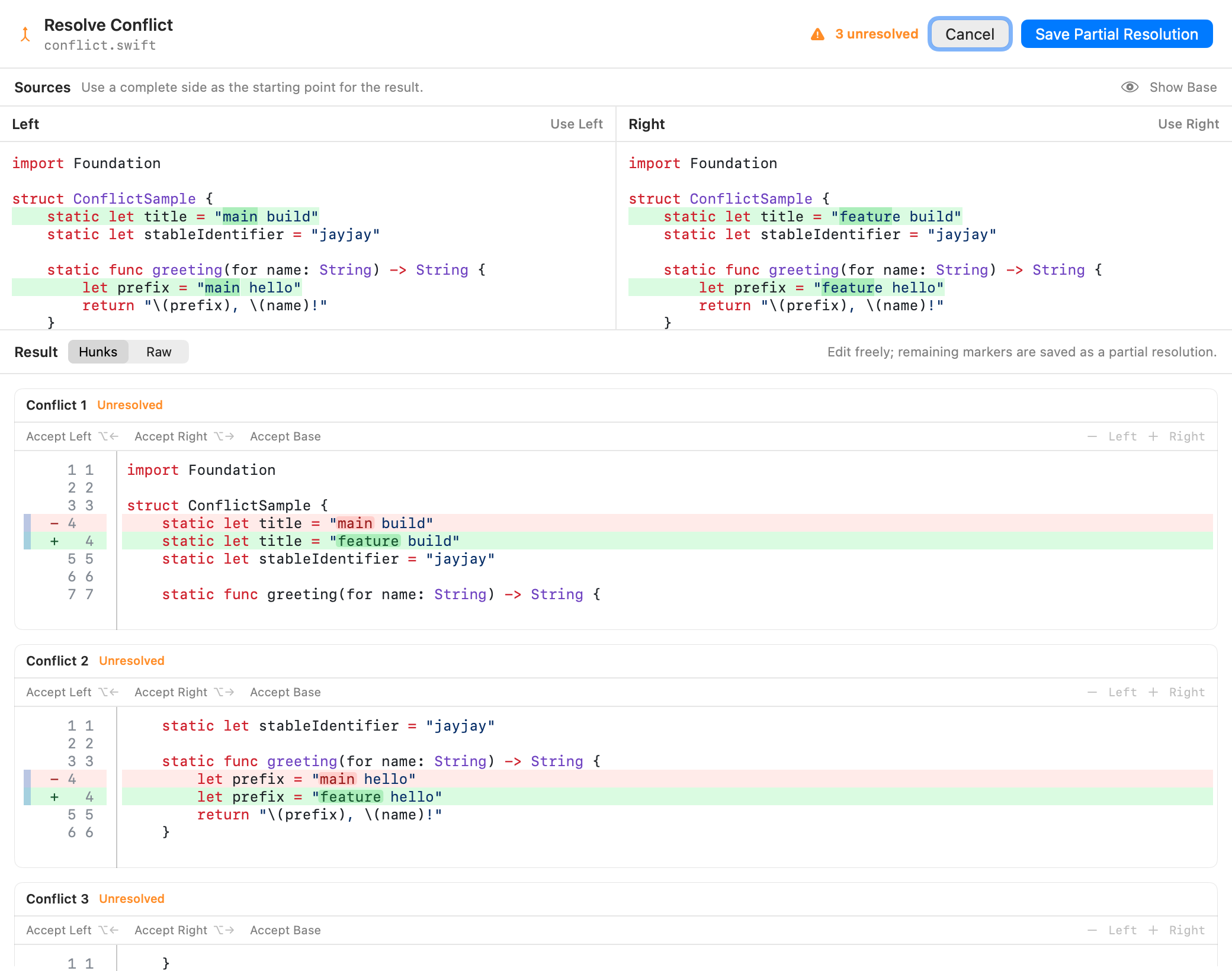
Accept Left, Right, or Base for each hunk, switch to raw marker editing, and save a partial resolution when work remains.
Every snapshot of a change over time, with filtering and one-click restore — jj's hidden superpower, made visible. Undo a rebase or recover lost work without touching the op log by hand.
Hit ⌘ ⇧ P and fuzzy-search any operation. Type help split to discover features, or prefix with ! to run raw jj commands with inline output.
Every feature, in detail → read the full guide.
Requires macOS 26 or later; Apple-silicon and notarized. On Linux, JayJay ships as an AppImage and an Arch package on GitHub Releases. Anonymous build and OS stats can be disabled in Settings.
# 1 · install  (or download the .app)
$ brew install --cask hewigovens/tap/jayjay
#      brew trusts this cask the first time

# 2 · open a repo  (or File → Open in the app)
$ jayjay ~/my-project

# 3 · then work — all keyboard-driven
browse · diff · split · commit
# 1 · install  (AppImage into ~/.local; Arch: signed pacman repo)
$ curl -fsSL https://jayjay.hewig.dev/install.sh | bash
# Arch instead:
$ curl -fsSL https://jayjay.hewig.dev/install.sh | bash -s -- --pacman-repo

# 2 · open a repo
$ jayjay ~/my-project
Jujutsu has a better model than git — but most GUIs either think in git branches or run a web app in a shell. JayJay started from one question: why isn't there a true native client that speaks jj?
So it's opinionated and fast: one native way to do each workflow — changes, bookmarks, mutable history — the way jj intends. Git LFS, submodules, and colocated Git repos work out of the box. No subscription. No repository data. Anonymous build and OS stats can be disabled in Settings.
JayJay is 100% free, built by a developer for developers. Every detail matters — down to a hidden easter egg. Can you find it?
A native GUI for Jujutsu (jj) on macOS and Linux — the version control system that reimagines the git model with mutable history, changes instead of commits, and bookmarks instead of branches. Built with Rust (wrapping jj-lib directly, no CLI scraping) and SwiftUI.
Yes — JayJay is a full-featured native jj GUI for macOS and Linux: DAG visualization, unified + side-by-side diffs with tree-sitter highlighting, interdiff, diff edit mode, file annotate, one-click conflict resolution, and every common jj operation (squash, split, absorb, revert, merge, duplicate, describe, abandon) without memorizing flags.
brew install --cask hewigovens/tap/jayjay is the easiest path — Homebrew 6.0 trusts the cask the first time you install it. Or download the signed, notarized app from GitHub Releases. Requires macOS 26 or later.
Yes. Shift-click two revisions in the DAG to compare them PR-style — the same unified and side-by-side views with word-level highlighting, rendering the difference between the two change contents.
Yes. Toggle unified and side-by-side with one click. Both use tree-sitter syntax highlighting and word-level highlights. Image files (PNG, JPG, SVG, HEIC...) render as actual before/after images, and Markdown, notebooks, CSV/TSV, SARIF, and binary property lists have rich previews when source text is not enough.
Yes — that's diff edit mode. Select files, hunks, or line ranges and split them into a new child or parallel change. On the working copy you can also right-click → Abandon Selected Lines to drop individual edits.
It complements the CLI rather than replacing it. The DAG graph, visual diff review, diff-edit, evolution viewer, and bookmark manager are far easier in a GUI. The command palette (⌘ ⇧ P) searches actions and local help, and takes a jj (or !) prefix to run raw jj in-window.
Free and source-available. The macOS app is BSL 1.1 — free to use, fork, modify, and redistribute; only paid app-store distribution needs permission. It converts to Apache-2.0 on 2030-03-23. The Rust crates are Apache-2.0 today.
Run curl -fsSL https://jayjay.hewig.dev/install.sh | bash. The script downloads the latest AppImage for x86_64 or aarch64, verifies its checksum, and installs it into ~/.local with a jayjay command and a desktop entry; run it again to upgrade. On Arch Linux, use the signed pacman repo instead — curl -fsSL https://jayjay.hewig.dev/install.sh | bash -s -- --pacman-repo. Then run jayjay /path/to/repo or open a repository from the window. The guide lists what it covers.
Yes, for stable releases on x86_64 and aarch64. The one-command setup trusts the key, adds the repo, and installs: curl -fsSL https://jayjay.hewig.dev/install.sh | bash -s -- --pacman-repo. Prefer reviewable steps? Fetch the signing key, add it with sudo pacman-key --add, and sign it locally with sudo pacman-key --lsign-key BA65B3D77235F76AAA32AE1EC6D21FA837FDEFEF. Then append a [jayjay] section to /etc/pacman.conf with SigLevel = Required DatabaseOptional and Server = https://pkgs.hewig.dev/arch/$arch, and run sudo pacman -Syu jayjay-appimage for a first install, or sudo pacman -Syu if already installed; the guide has the copy-paste block. Betas are not in the repo — install those with pacman -U from the pre-release page, and pacman leaves an installed beta alone until the repo's stable version is newer.
Yes on Linux. The Linux app is built on Zed's GPUI framework, shares its Rust core with the macOS app, and covers the jj workflows: the change graph, diffs and rich previews, review, diff edit, bookmarks, conflicts, workspaces, and the command palette. It ships with every release as an AppImage and as an Arch Linux package; see the guide and the GPUI checklist. Windows builds compile in CI but are not shipped yet.